

How to Conduct User Research That Drives Results

Table of Contents
Before you even think about talking to a single user, you need a solid game plan. Jumping into interviews without a clear strategy is a classic mistake. You'll end up with a pile of interesting conversations that don't actually help you make any decisions. The real magic happens in the prep work.
This isn't just a "nice-to-have" step; it's what separates insightful research from a series of random chats and connects your work to real business outcomes, especially when you're building an MVP.
There's a growing appetite for this kind of rigorous work. A recent survey of 800 product professionals found that 55% saw an increased demand for user research just in the last year. It’s no surprise why: companies that do it well see massive returns. A whopping 83% report improved product usability, and 63% see higher customer satisfaction. As you can explore in the full findings, well-planned research is a direct line to better products and happier customers.
Set Clear and Specific Research Objectives
Your first job is to move past vague goals. "Understand our users" sounds good, but it's too broad to be useful. Your objectives need to be sharp, specific questions that you must answer to move forward. Think of them as hypotheses you need to prove or disprove.
Let’s imagine you're building a new project management tool. A fuzzy goal would be, "See if people like our idea." A much stronger, more actionable objective is: "Determine if small marketing teams are willing to ditch their current spreadsheet system for our tool to manage their content calendars."
See the difference? This focus does two critical things for you:
- It defines your scope. Suddenly, you know you're not talking to enterprise-level managers or solo freelancers. You're zeroed in on small marketing teams.
- It dictates your questions. Your interview script practically writes itself. You'll be asking about their spreadsheet headaches, what would convince them to switch tools, and which features are absolute deal-breakers.
Choose the Right Research Methods
Once you have a crystal-clear objective, picking the right method becomes a whole lot easier. Your choice will depend entirely on what you need to find out. Are you still exploring the problem space, or are you ready to validate a specific solution?
Going back to our project management tool example:
- To explore the problem, you'd probably want to start with qualitative interviews. This is where you get to hear real stories about how marketing teams wrestle with their current workflows and what truly frustrates them. You’re digging for the emotional and practical context.
- To validate a solution, once you have a prototype, you could run moderated usability tests. Here, the goal is to watch people try to complete key tasks, like creating a project or assigning a task. Can they actually do it? Where do they get stuck?
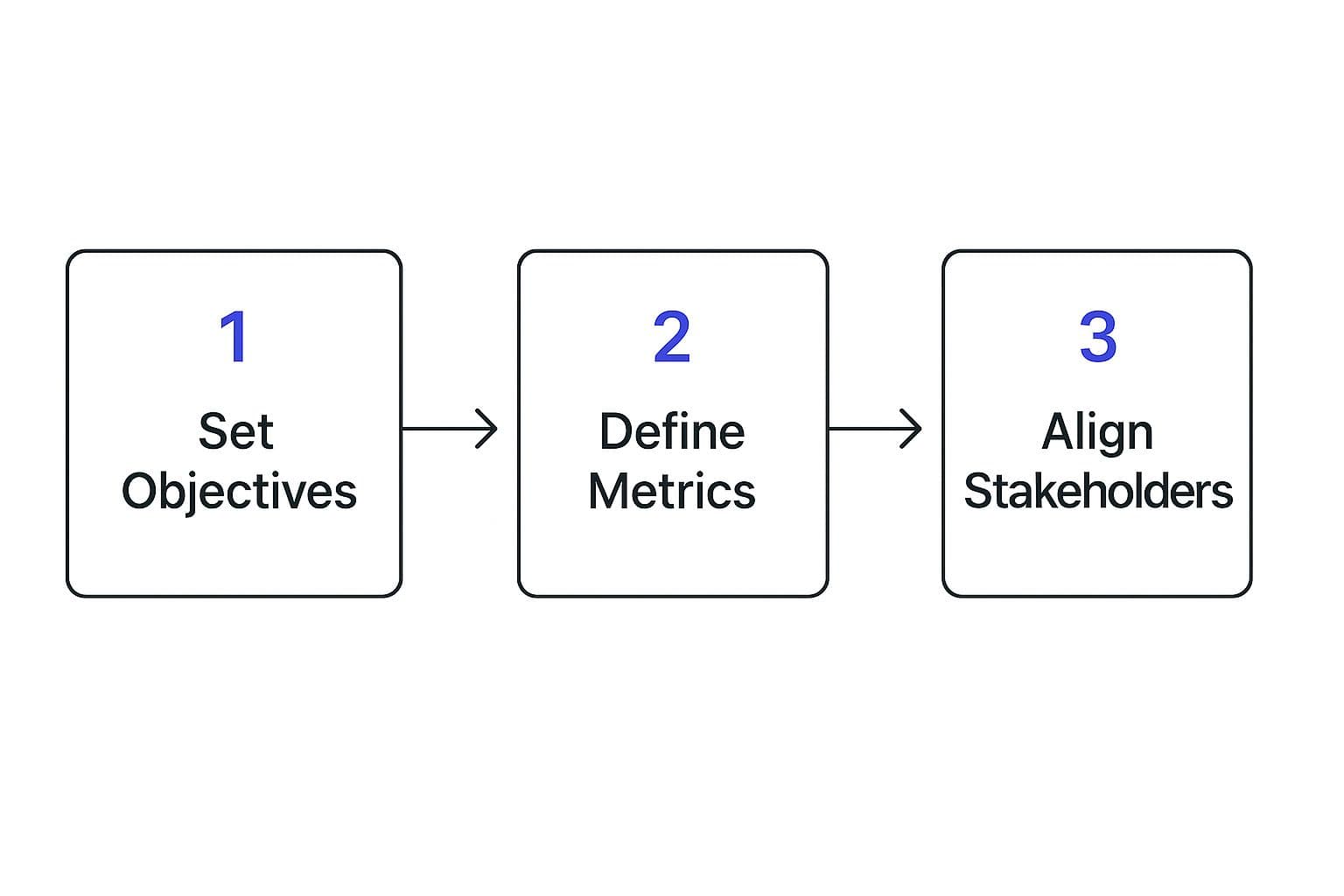
This diagram really nails the flow from setting your big-picture goals to getting everyone on board.
Choosing the Right User Research Method
The table below compares some of the most common qualitative and quantitative research methods. Use it as a quick guide to help you decide which approach is the best fit for your research goals, timeline, and resources at any given stage.
| Method | Best For | Key Outcome | Resource Intensity |
|---|---|---|---|
| Qualitative Interviews | Exploring user motivations, behaviors, and pain points in depth. Understanding the "why" behind their actions. | Rich, detailed stories and direct quotes that provide deep contextual understanding. | High (Time-intensive for conducting, transcribing, and analyzing). |
| Usability Testing | Evaluating how easily users can complete key tasks in your product or prototype. Identifying friction points. | A prioritized list of usability issues and direct observations of user behavior. | Medium to High (Requires a prototype and moderation, but can be done with 5-8 users). |
| Surveys | Gathering quantitative data from a large user base. Measuring attitudes and validating assumptions at scale. | Statistical data, trends, and quantifiable insights (e.g., "75% of users..."). | Low (Quick to deploy with tools like SurveyMonkey or Typeform). |
| A/B Testing | Comparing two versions of a design (e.g., a headline or a button) to see which one performs better. | Hard data on which variation leads to a better conversion rate or desired action. | Low to Medium (Requires traffic and tools, but analysis is often automated). |
No single method is perfect for every situation. Often, the most powerful insights come from combining methods—for instance, using survey data to identify a problem area, then following up with in-depth interviews to understand the 'why' behind the numbers.
This entire process, from setting objectives to aligning with your team, is what turns research from an academic exercise into a strategic powerhouse. It ensures the insights you uncover are valued and—most importantly—acted upon. When you build this solid foundation, you’re not just producing data; you're driving real, meaningful change for your product.
Finding and Recruiting the Right Participants

You can have the most brilliant research plan in the world, but if you're talking to the wrong people, your insights will be useless. Worse, they could send your MVP in the completely wrong direction. The whole game is about finding people who are a genuine match for your target audience—not just whoever is easiest to find.
This is about more than just checking demographic boxes. I've seen teams get hung up on age or job titles, but the real gold is in recruiting based on behaviors, attitudes, and real-world experiences. This focus helps you dodge a classic pitfall: accidentally recruiting "professional testers." These are folks who do so many studies they've stopped behaving like authentic users, and their feedback can be generic and misleading.
Crafting a High-Fidelity User Screener
Your most valuable tool here is a well-designed user screener. This isn't just a simple questionnaire; it's a precision instrument designed to filter out the wrong people and pinpoint the exact users you need.
A truly effective screener goes way beyond basic demographics and digs into behavioral criteria. For example, asking, "Do you use project management software?" is too broad—almost anyone could say yes. Instead, get specific to disqualify people who aren't a good fit.
Try questions like these:
- Behavioral: "In the last month, which of these tools have you used to track a professional project? (Select all that apply)"
- Attitudinal: "On a scale of 1-5, how satisfied are you with your current process for managing team tasks?"
- Disqualifying: "Have you participated in more than three paid research studies in the last six months?"
This approach ensures you’re talking to people with recent, relevant experience. It grounds the conversation in reality, which is exactly what you need for honest MVP feedback. Your screener is the gatekeeper that guarantees every participant is a high-quality match.
Channels for Finding Your Ideal Participants
Once you have a sharp screener ready, it's time to go find your people. Your internal user list is a decent starting point, but to get a truly diverse perspective, you have to cast a wider net. Branching out is often the difference between getting surface-level feedback and uncovering game-changing insights. If you're just getting started, it helps to understand how to conduct market research to see how recruitment fits into the bigger picture.
Here are a few channels that consistently deliver high-quality participants:
- Niche Online Communities: Go where your users are. Find the subreddits, Slack channels, or professional forums where they talk shop. Building a tool for freelance illustrators? You should be hanging out in the communities where they share their portfolios and complain about clients.
- Specialized Recruiting Panels: Services like User Interviews, Respondent.io, and Ethnio are built for this. They do come at a cost, but they can save you dozens of hours and give you direct access to very specific types of users.
- Social Media Outreach: You can get surprisingly far with a polite, personalized message. Use LinkedIn to find people with specific job titles or search Twitter for conversations about a problem your product solves.
- Your Competitors' Audience: This is one of my favorite tactics. Look for people who have publicly reviewed or complained about a competitor. They often have strong opinions and can give you incredibly direct feedback on existing pain points.
The Ethics of Recruitment and Compensation
Trust-building begins with your very first message. Be completely transparent from the start. Let potential participants know what the study is for, how long it will take, what they’ll need to do, and how you’ll protect their data. No surprises.
Fair compensation is a non-negotiable part of this process. It shows you respect their time and value their expertise. The right amount depends on the session length and the participant's profession. As a general rule, an incentive for an hour of their time should feel generous.
- For general consumers, this might be 60-100.
- For specialized B2B professionals like doctors or senior engineers, expect to offer 150-300 or even more.
Money isn't the only option. Gift cards, a free premium subscription to your product, or a donation to a charity of their choice can also work well. The goal is to make it a fair exchange. When you recruit ethically, you not only get better data, but you also start building a reputation as a company that genuinely listens to its users.
Running Research Sessions That Uncover Truth
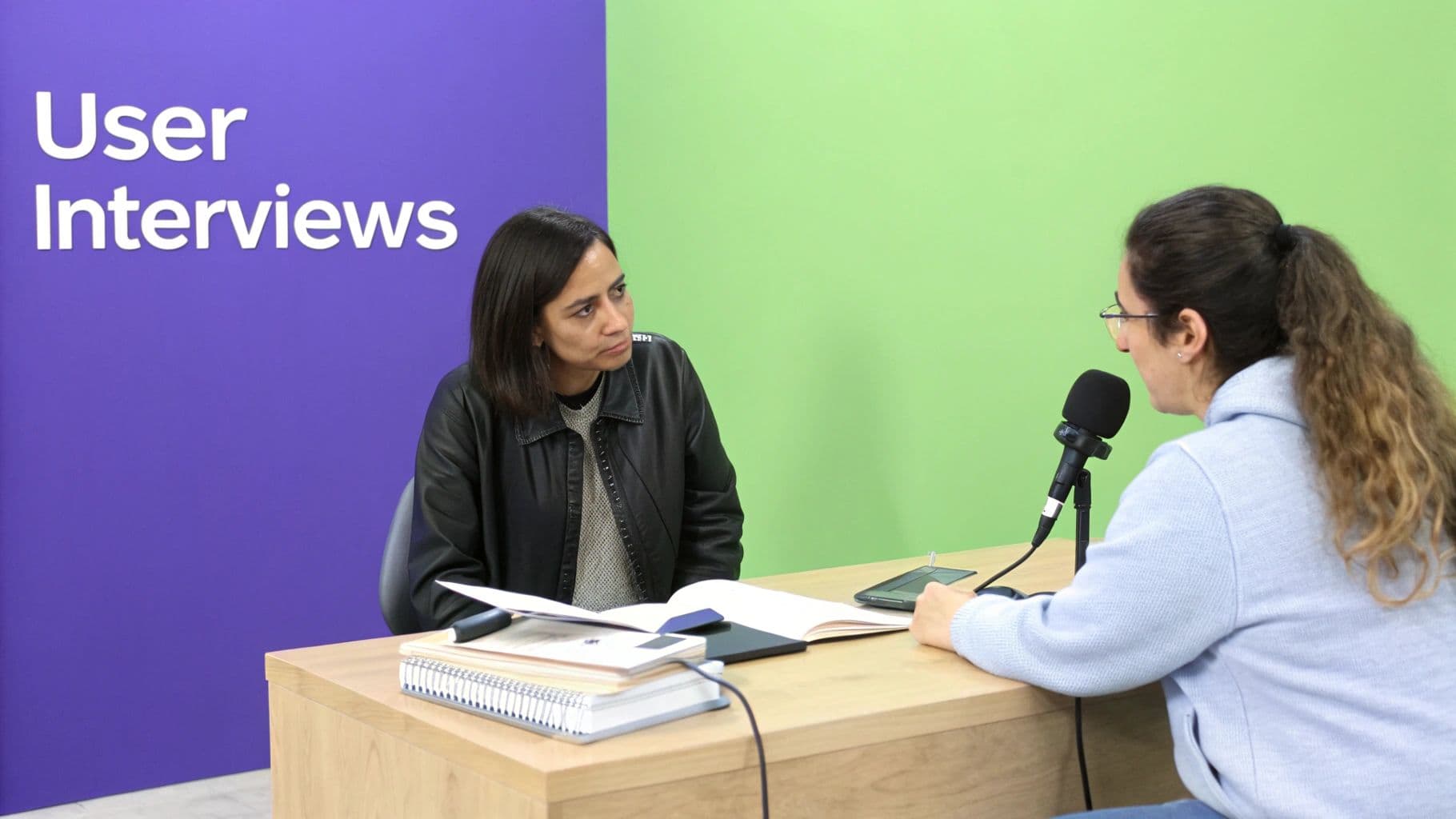
All the plans are locked in and your participants are scheduled. This is where the rubber meets the road. Running a great research session—whether it's an interview or a hands-on usability test—is an art form. It’s about creating an atmosphere where a total stranger feels comfortable enough to give you their honest, unfiltered thoughts.
And let's be real, sometimes those thoughts are going to be critical of something you've poured your heart into.
Your main job as the moderator is to guide, not to lead. You're there to listen and observe, digging for the real story behind what a user does and why they do it. The quality of your entire research effort really hinges on this: making people feel heard and drawing out insights that go way beyond surface-level comments.
Setting the Stage for Honesty
The first five minutes are everything. Seriously. This is your one shot to build rapport and create a safe space.
Start with a genuine thank you for their time. Then, make it crystal clear that there are no right or wrong answers. You’re not testing them; you’re testing your product, your concept, your ideas.
A simple script can work wonders here. I usually say something like this:
"Hi, I'm [Your Name]. Thanks so much for being here today. I work on [Product], and we're just trying to make it better. I really want to stress that you can't do or say anything wrong. We're testing our ideas, not you, so please be as honest and blunt as you can. In fact, the more critical you are, the more you help us out."
This little intro instantly takes the pressure off and gives them explicit permission to be candid. It's a small thing that pays huge dividends in the quality of feedback you'll get.
The Power of Open-Ended Questions
If you take away only one skill from this, let it be this one: learn to ask questions that encourage stories, not just "yes" or "no" answers. It’s so easy to accidentally ask a leading question, which just poisons your data by hinting at the answer you want.
Think about the difference here:
- Leading Question: "Was that feature easy to use?" This primes them to think about "ease" and often just gets you a polite "yes."
- Open-Ended Question: "Can you walk me through what you just did?" This invites a story. It uncovers their actual thought process, complete with all the hesitations and little moments of confusion.
Your goal is to get them talking. Instead of asking if they like something, ask them to describe their experience with it.
Probing for Deeper Insights Without Bias
Often, a person's first answer is just the tip of the iceberg. The real gold is usually buried one or two questions deeper. Probing is how you follow up to understand the why behind what someone says or does. The trick is to stay completely neutral.
Here are a few of my go-to, non-leading probes:
- "What were you expecting to happen when you clicked that?"
- "How does that compare to how you normally handle this kind of task?"
- "I noticed you paused there for a second. What was going through your mind?"
These questions focus on their behavior and expectations, guiding them to reflect on their own experience. Contrast that with a biased probe like, "Were you confused by the button labels?" which plants an idea in their head. The best moderation just feels like a natural conversation, not an interrogation.
Managing Data Collection During the Session
While you're deep in conversation, you also have to capture what's happening. Trust me, trying to moderate and take perfect notes at the same time is a recipe for disaster. You’ll be so busy typing that you'll miss the subtle frowns, sighs, and hesitations that tell the real story.
Here's a practical setup that actually works:
- Always record the session. Get the participant's explicit permission, of course. For remote sessions, this means recording audio, their video, and their screen. This gives you an objective source of truth you can always go back to.
- Bring a dedicated note-taker. If you can, have a colleague join the call with one job: taking notes. They can capture juicy quotes, timestamp key moments, and observe body language without distracting you or the participant.
- Focus notes on observations, not interpretations. The rule for the note-taker is simple: write down what the user does and says, not what you think it means. For example, write "User scrolled up and down the page 3 times before clicking 'Next'" instead of "User seemed confused."
This division of labor frees you, the moderator, to be fully present. You can build a stronger connection with the participant, which ultimately leads to richer, more truthful insights. By mastering these simple techniques, you'll turn a basic Q&A into a powerful discovery session that uncovers the human truths needed to build a great product.
Turning Raw Data Into Actionable Insights

So, you've just wrapped up your final interview. Now what? Your team is sitting on a mountain of transcripts, recordings, and hastily scribbled notes. This is the moment where many teams stumble. Raw data on its own is just noise—a collection of disconnected facts and quotes. The real magic happens during analysis, where you transform that noise into a clear, compelling story that actually drives decisions.
The goal isn't just to report what users said. You need to dig deeper and understand why they said it. This is how you move from simple observations to powerful insights that can shape your entire product strategy.
From Raw Notes to Organized Themes
First things first, you have to get all your data into one place and make it digestible. Don't let precious insights stay trapped in individual notebooks or scattered across different documents. The most effective way I've found to start making sense of qualitative data is through a process called affinity mapping.
It might sound complex, but the concept is beautifully simple. Imagine taking every interesting quote, observation, and pain point from your notes and writing each one on a separate sticky note. This process is tactile and collaborative, whether you're using real sticky notes on a wall or a digital whiteboard tool like Miro or FigJam.
Once you have your sea of sticky notes, the fun begins. Start grouping related notes together. Don't overthink it at first. Does this quote about a confusing checkout process belong with another note about payment anxiety? Absolutely. Does this observation of a user struggling to find the settings menu fit with a direct quote asking for better customization? Group them up.
As you start clustering these individual data points, you'll slowly begin to see patterns emerge from the chaos. These clusters are the first hint of the underlying themes in your research.
Naming Themes and Uncovering Insights
After you've grouped your notes, the next step is to give each cluster a name. This simple act forces you to articulate the core idea that connects all the individual notes within that group. For example, a cluster of notes about users failing to find a certain feature might get the name "Poor Feature Discoverability."
With your themes named, you can now elevate them into true insights. An insight is much more than a summary of the data; it connects an observation to a user's motivation or need, which in turn points toward a potential solution.
Try using this framework to frame your insight statements:
- Observation: What did you actually see or hear?
- Motivation: Why is this happening? What is the user's underlying need or goal?
- Implication: What does this mean for your product or design?
Here's how it plays out in practice:
- Bad: "Users couldn't find the export button." (This is just an observation).
- Better: "Users were frustrated because they couldn't find the export button." (This adds emotion, but we can do better).
- Best (Insight): "We observed that users in finance roles need to export data to create monthly reports for their managers. Because the export function is buried in a settings menu, they feel blocked from completing a critical part of their job, which damages their trust in our tool."
This last statement is powerful. It doesn't just describe a problem; it explains the context, the user’s motivation, and the real-world consequence. This is the kind of evidence that convinces stakeholders and gives your team a clear, unified direction.
Building an Evidence-Backed Narrative
Your final job is to weave these insights into a cohesive narrative. You aren’t just presenting a list of findings; you are advocating for your user. To make your story compelling, you need to back it up with solid evidence.
- Use direct quotes. Let the user's own words bring a pain point to life. A quote like, "I felt so stupid because I couldn't figure out where to go next," is far more impactful than you saying, "The navigation was confusing."
- Share behavioral data. Point to specific actions you observed during testing. "We saw 5 out of 7 participants try to click on the logo to go home" is concrete evidence that supports an insight about navigation expectations.
- Quantify when possible. Even in qualitative research, simple numbers add weight. Mentioning that a theme came up in almost every single interview gives it significantly more gravity.
This detailed analysis process is becoming more critical as businesses recognize its immense value. The global market for user research software was valued at around USD 245.46 million and is projected to climb to USD 719.94 million by 2033, showing a clear trend toward more data-driven product decisions. You can learn more by reviewing the full market analysis from Straits Research.
By grounding your recommendations in this kind of rich, contextual evidence, you're no longer just sharing opinions. You are presenting a clear, validated path forward, helping your team confidently prioritize what to build next and ensuring you're one step closer to achieving real product-market fit validation.
Turning Research Into Real-World Change
Your research journey isn't over once the analysis is done. In many ways, the most important part is just getting started. The best insights in the world are useless if they die in a spreadsheet or a long-winded report nobody reads. The final, make-or-break step is turning your findings into a story that actually convinces people to act and drive real product change.
This isn't about writing a dry, academic paper. It's about becoming a champion for your users, making their experiences so vivid that your team simply can't ignore them. Your success here is measured by one thing: how much your work influences decisions, clarifies what to build next, and ultimately shapes a better product.
Know Your Audience, Tailor Your Message
A one-size-fits-all research report is a surefire way to get your work ignored. The way you present findings to a busy executive should look completely different from how you share them with the engineering team. Each group has different priorities, different questions, and frankly, different amounts of time to spare.
If you want your message to land, you have to package it for the person receiving it.
- For Executives & Leadership: They need the bottom line, and they need it fast. Think high-level, one-page summaries or a handful of slides. Focus on the big themes, the business impact, and your strategic recommendations. A powerful quote or a startling data point can do wonders here.
- For Product Managers & Designers: These folks live for the details. They need to get inside the user's head and understand the why behind the what. A detailed walkthrough session, punctuated with video clips of users getting frustrated, is incredibly powerful. This is where your personas and journey maps truly shine, providing the rich context they need to make smart design choices.
- For Engineers & Developers: They need clear, concrete problems to solve. Your job is to translate user struggles into specific, well-defined tasks. Zero in on the usability hiccups, performance gripes, and user expectations that directly affect the code they write.
Thinking strategically about communication ensures everyone gets what they need in a format they can actually use.
The Power of Storytelling with Data
Facts and figures rarely change minds on their own. Stories do. The most effective way to make your users' voices heard is to wrap your data in a compelling narrative. Personas and user journey maps aren't just fancy deliverables; they are the vehicles you use to turn abstract data into relatable human experiences.
Let's go back to that project management tool we talked about. Instead of just stating, "75% of users struggled with task creation," you introduce your team to "Sarah, the Overwhelmed Marketing Manager."
You map out Sarah's frustrating journey as she tries to set up a simple content calendar. You show the video clip of her sighing after clicking the wrong button for the third time. You share her quote: "I just want something that doesn't make me feel like I need a manual to get started."
Suddenly, the problem isn't a statistic anymore. It's a real person your team can empathize with and rally around to help.
This push to better understand and visualize the user experience is big business. The market for UX research software is expected to explode, growing from USD 427.3 million to over USD 1 billion by 2032. This isn't just a trend; it's a reflection of a core business need. As the full UX research software market forecast shows, companies are investing serious money in tools that help them tell these vital user stories.
From Insight to Actionable Backlog Item
The final bridge you need to build is the one connecting your research insights to the product backlog. A research project isn't truly done until its findings have been converted into actual work items the development team can pick up.
This means sitting down with your product manager and team leads to go over your findings in the context of the current roadmap. Your role is to be the voice of the user, ensuring their needs are weighed against business goals and technical limitations.
A great way to do this is by framing your recommendations as "How Might We..." statements. This simple trick sparks collaborative problem-solving. For instance, an insight about users feeling lost in a cluttered interface becomes: "How might we simplify the main dashboard to help users focus on their most immediate tasks?" This turns your research from a critique into a shared challenge the team can solve together.
This collaborative step is a hallmark of a healthy and responsive development cycle. To see how this piece fits into the bigger puzzle, it’s worth exploring the entire agile product development process.
By taking an active role in translating insights into action, you officially close the loop. You ensure the user’s voice isn’t just heard—it becomes a driving force in every sprint, feature, and release.
Common User Research Questions Answered
Even with the best-laid plans, you're bound to hit some questions once you're in the thick of user research. Let's tackle a few of the most common ones that come up, so you can keep moving forward with confidence.
How Many Users Do I Really Need to Interview?
This is probably the most-asked question, and the answer isn't a single magic number. For qualitative research, the goal isn't statistical significance—it's about spotting patterns.
The classic advice from the Nielsen Norman Group is still solid: start with 5 users per distinct user group. Their research found that this number is often enough to uncover about 85% of the usability problems.
You’re looking for saturation. This is the point where you stop hearing new things and the same feedback themes pop up over and over. Once you hit that point for a specific user segment, you can feel confident you’ve uncovered the core issues and can stop recruiting for that group.
Just remember, this applies to qualitative work like interviews. Quantitative studies like surveys need a much larger sample to produce data you can trust.
What Is the Difference Between User and Market Research?
People often mix these up, but they answer very different—and equally important—questions. I like to think of it like this:
- Market Research tells you about the what. It helps you scope out the business opportunity by looking at market size, competitors, and what people claim they want. It answers the question, "Is there a market for this?"
- User Research gets into the why. It digs into how real people behave, what motivates them, and what they need when they actually try to use something. This tells you if your product is useful and valuable to the people you hope to serve.
So, market research helps you find a promising pond to fish in. Learning how to conduct user research ensures you have the right bait to actually catch anything.
How Can I Conduct Research with a Tight Budget?
You don't need a massive budget to get fantastic insights. In fact, some of the best feedback comes from being a bit scrappy. "Guerrilla research" is a perfect example—informally talking to people in coffee shops or public spaces (with their permission, of course!) can yield some real gems.
Here are a few tactics that have worked for me on shoestring budgets:
- Lean on free tools: Google Forms is perfect for simple surveys. For unmoderated usability tests, tools like Maze have free tiers that are surprisingly powerful.
- Get creative with recruiting: Your personal network is a great starting point. Beyond that, look for relevant social media groups, Slack communities, or niche forums where your target audience already congregates.
- Rethink your incentives: Cash isn't the only option. Offering early access, a free subscription to your product, or even a small gift card can work wonders. The goal is to make people feel appreciated for their time.
Ready to turn your idea into a market-ready product without the typical delays? At Iglu Digital, we specialize in building high-quality MVPs on a fixed price, agreed up front, grounded in strategic user feedback. Let us help you launch with confidence. Learn more about our process at https://iglu.dev.