

Your Guide to a Software Implementation Plan

Table of Contents
A software implementation plan is much more than just a project document; it’s your strategic roadmap for getting new software up and running in your organization. Think of it as the master blueprint that details every crucial piece of the puzzle—from the big-picture goals and resource planning all the way down to user training, the go-live event, and the support that follows.
This isn't just a technical to-do list. It’s the guide that ensures a smooth transition for everyone involved and, most importantly, helps you squeeze every bit of value out of your new investment.
Why Your Implementation Plan Defines Project Success

Jumping into a software rollout without a solid plan is asking for trouble. I've seen it happen time and again: companies treat implementation as a minor detail, only to get blindsided by massive budget overruns, blown deadlines, and a new tool that nobody wants to use. A well-crafted implementation plan is often the single biggest factor separating a successful project from a costly failure.
It’s like trying to build a house without a blueprint. Sure, you might get the walls up, but the wiring, plumbing, and structural stability would be a total nightmare. A software implementation works the same way. The plan is that essential blueprint that gets all your stakeholders on the same page, sets clear goals, and acts as the single source of truth for the entire project.
The Real Cost of Poor Planning
When there’s no roadmap, teams start working in silos. Finance might have one budget in mind, while the IT team has a completely different set of technical needs. This disconnect is a classic recipe for scope creep, where one "small" feature request after another slowly derails the timeline and inflates the budget.
Imagine a mid-sized company trying to launch a new CRM. Without a plan, they might be weeks into the project before realizing their old sales data won't migrate cleanly. A task they thought would take two days suddenly turns into a two-month data-cleansing marathon. The launch gets delayed, and the sales team is left fuming, unable to access customer info. This is an incredibly common headache, and it's completely avoidable with the right planning upfront.
The Strategic Advantage of a Clear Roadmap
On the flip side, a detailed implementation plan brings clarity and holds everyone accountable. It forces you to have the tough but necessary conversations before a single line of code is written or a license is purchased.
- What are our specific, measurable goals? (e.g., "Reduce customer support response time by 15% within Q1.")
- Who owns each phase of the project? (Who is on the hook for data migration, testing, or training?)
- What could go wrong? (What are the potential risks that could derail our progress?)
- How will we get our team ready? (How will we train everyone to use the new system effectively?)
The global software development market is on track to blow past $1 trillion in annual revenue by 2025. This explosive growth isn't just about more software; it's about more complex systems. Today's implementation plans need to factor in things like cloud infrastructure, AI-powered tools, and automated deployment pipelines to keep a company competitive. You can dig into more software development statistics that show just how fast things are moving. A good plan doesn't just solve today's problems—it makes sure your new software is ready for whatever comes next.
Assembling Your Implementation A-Team

Even the most brilliant software implementation plan is just a document without the right people bringing it to life. Technology doesn't just install itself. The real magic happens when you build a dedicated, cross-functional team where everyone knows their part and is committed to the finish line. This isn’t just about handing out a task list; it’s about creating a coalition of champions who can steer the project through every twist and turn.
Relying solely on the vendor's team is a common mistake. You absolutely need an internal task force—a core group that lives and breathes the project from your side. They're the ones who will champion the initiative, keep deadlines from slipping, and ensure nothing gets lost in translation between your company and the software provider. Think of them as the project's central nervous system.
Defining Core Project Roles
Look at any successful implementation, and you'll find a few essential roles. The job titles might change from one company to another, but the functions these people perform are universal and absolutely critical for keeping things moving.
- Project Sponsor: This is usually a senior executive, the person with the vision, the budget, and the authority. They are the final decision-maker, responsible for knocking down major roadblocks and making sure the project stays true to the company's bigger goals. When a sponsor is actively involved, it sends a clear message to everyone else: this project matters.
- Project Manager (PM): Your PM is the orchestra conductor. They own the plan, manage the timeline, and juggle resources, acting as the main point of contact for pretty much everyone. A great PM is almost obsessive about communication and risk management, constantly keeping the team informed and the project on schedule.
- Technical Lead: This is your go-to technical expert. They handle the nitty-gritty, from migrating data and configuring the system to making sure the new software plays nice with your existing tools. They're the bridge between your business needs and the vendor's technical team.
- Change Manager: This role is too often overlooked, but it's one of the most important. The Change Manager is all about the people. They’re in charge of creating the communication and training plans to get users on board, minimizing resistance, and making sure the new software is actually used and not just tolerated.
Creating a Collaborative Environment
Once you've got your key players in place, you have to build a culture where people can talk openly. Regular check-ins and status meetings are non-negotiable for keeping everyone on the same page and tackling problems before they snowball.
Many of the best teams I've worked with borrow ideas from agile development, which is all about transparency and quick feedback loops. Structuring your team’s communication can make a huge difference. You might want to explore different types of agile methodology meetings to find a rhythm that works for you. For example, a quick daily stand-up is a fantastic way for the PM, Tech Lead, and Change Manager to sync up on what they did yesterday, what's on for today, and what's getting in their way.
At the end of the day, your implementation "A-Team" is much more than a list of names on an org chart. It's a living, breathing group of people, empowered to make decisions and drive the project forward with confidence.
Building a Realistic Project Timeline
One of the fastest ways to kill a software implementation project is with a timeline that’s pure fantasy. It happens all the time. Stakeholders are antsy for results, so they push for an aggressive schedule that completely ignores the real-world work involved. The result? Burnout, blown deadlines, and a messy, frustrating rollout.
A realistic project timeline isn't just about picking a start and end date. It's a strategic schedule, one that's carefully built around distinct phases, task dependencies, and a healthy dose of respect for the unexpected. You have to move beyond a simple calendar and break the entire project down into manageable chunks.
Deconstructing the Implementation into Phases
Instead of looking at implementation as one giant, overwhelming task, think of it as a series of smaller, connected stages. For something like a CRM implementation, you’d map out each phase with its own clear objectives and deliverables. This approach creates momentum and keeps everyone focused on what’s next.
A typical project flow usually looks something like this:
- Discovery (1-2 weeks): This is all about deep-dive conversations. You’re running stakeholder interviews, mapping out business processes, and confirming exactly what problems the new software needs to solve.
- Configuration (2-3 weeks): Your tech team gets their hands dirty. They take the findings from the discovery phase and start setting up the software—customizing fields, building out automated workflows, and defining user permissions.
- Data Migration (1-2 weeks): Don’t ever underestimate this part; it's almost always the trickiest. It involves pulling data from the old system, cleaning it up, mapping it to the new one, and moving it over. It rarely goes perfectly on the first try.
- User Acceptance Testing (UAT) (1 week): Time to bring in the end-users. A select group gets to test drive the configured system to make sure it actually works for their day-to-day tasks. Their feedback is gold for making final tweaks.
- Training (1 week): You can't just hand over the keys and walk away. This phase is for developing training materials and running sessions to get everyone comfortable and confident before the system goes live.
- Go-Live (1 day - 1 week): The big day. You flip the switch, but the work isn’t done. This is immediately followed by a "hypercare" period of intensive support to squash any bugs or answer questions that pop up.
Here’s a simple visual that shows how these phases might play out over a couple of months.
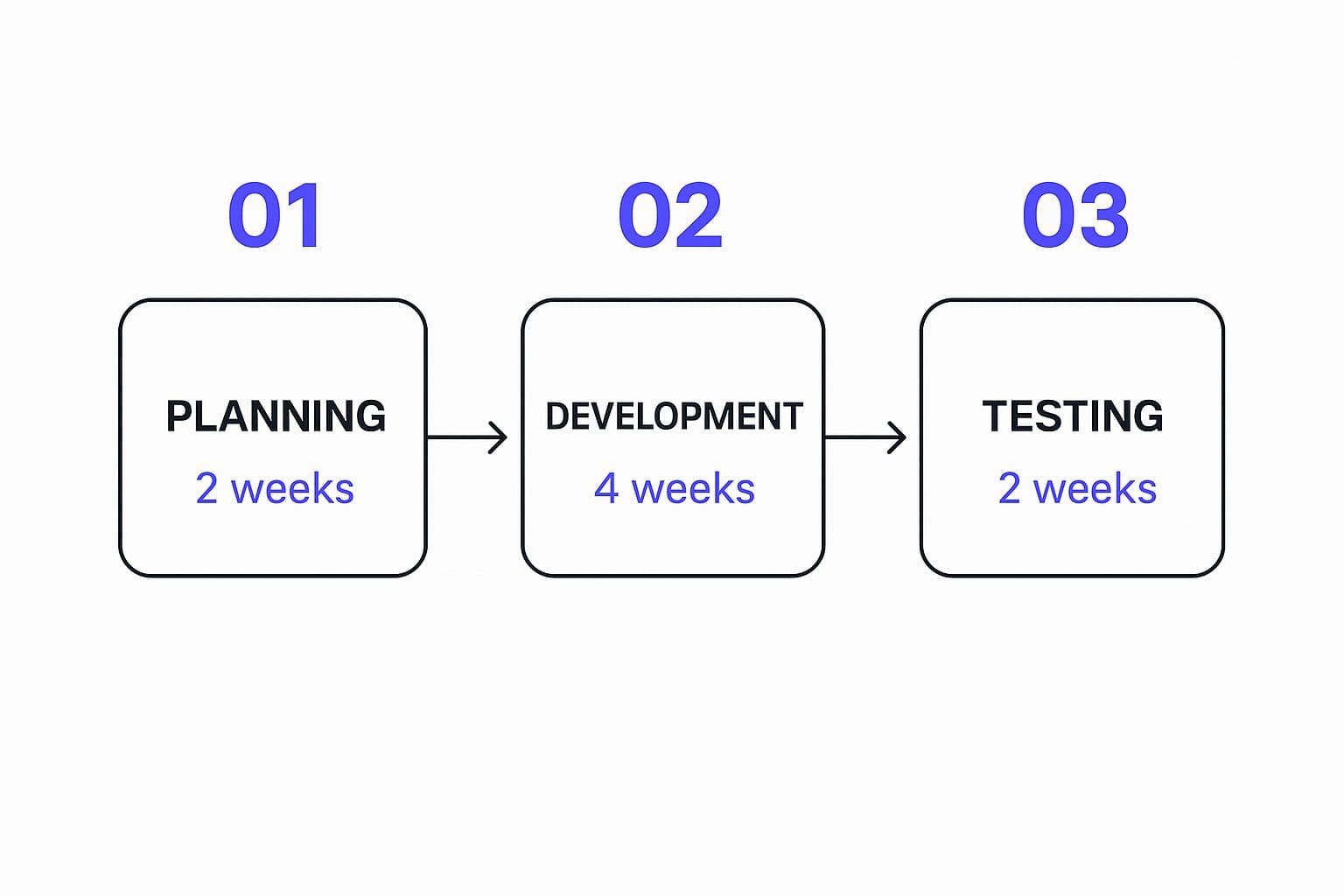
Laying it out like this makes it obvious that an eight-week project isn’t just two months of frantic, unstructured work. It's a sequence of dependent stages that have to happen in the right order.
Visualizing Dependencies with Gantt Charts
Once you have your phases, a Gantt chart is your best friend. These charts are brilliant for visualizing the project’s critical path—that’s the non-negotiable sequence of tasks that dictates your final end date. For instance, you can’t possibly start UAT until the data migration is finished. Seeing these dependencies mapped out makes it painfully clear where a single delay can create a domino effect across the entire timeline.
Finally, a solid timeline is the backbone of effective resource management. When you know precisely when you’ll need your top developer versus your lead trainer, you can schedule people without running them ragged. Getting this right is a skill in itself. To go deeper, it’s worth learning more about strategic resource allocation in project management and applying those ideas here.
By creating a timeline that is transparent, phased, and flexible, you turn the schedule from a source of stress into a tool that manages expectations and guides your project to success.
Getting Ahead of Implementation Risks

Let’s be honest: every software project, no matter how perfectly planned on paper, is full of potential pitfalls. Pretending they don't exist is a recipe for disaster. Proactive risk management isn't about being negative; it's about being a realist and staying prepared. A solid software implementation plan has to include a clear strategy for spotting, evaluating, and defusing these threats before they blow up your timeline and budget.
Thinking ahead turns a potential five-alarm fire into a manageable hiccup. Instead of scrambling when a problem inevitably crops up, your team already has a playbook. This is what separates a smooth, professional rollout from a chaotic one that limps past its deadline.
Identifying Common Implementation Threats
The first move is to get your team in a room and brainstorm everything that could possibly go wrong. You need everyone involved because they all see the project from a different angle. Your lead developer might be sweating a tricky integration with a legacy system, while your change manager is anticipating pushback from the accounting department.
I’ve seen a few repeat offenders pop up on almost every project:
- Technical Debt: You crack open an existing system and realize it’s a tangled mess, making your planned integration a nightmare.
- Data Migration Errors: The data import goes sideways, and suddenly your shiny new system is filled with garbage. This erodes user trust from day one.
- Scope Creep: Those "small" requests start piling up, slowly pushing your project off a cliff without anyone realizing it until it's too late.
- Resource Unavailability: A key engineer gets pulled onto another "top priority" project, or even worse, quits.
Building a Practical Risk Register
Your risk register is your central nervous system for managing all these threats. This isn't a document you create once and then file away to collect dust. It should be a living, breathing tool that you review in every project meeting. A good risk register doesn't just name the problem; it tells you exactly what to do about it.
Think of it as a table that answers the critical questions for every risk you've identified.
| Category | Description |
|---|---|
| Risk Description | Be specific. Not just "data issues," but "Legacy API fails during integration testing." |
| Likelihood & Impact | Your rating. Is this a High/High or a Low/Medium threat? |
| Mitigation Plan | What you'll do to prevent it. E.g., "Build an API wrapper before migration starts." |
| Contingency Plan | Your "break glass in case of emergency" plan. E.g., "Revert to manual data entry for 48 hours." |
| Risk Owner | The one person whose job it is to watch this risk. E.g., "Technical Lead." |
This structure creates real accountability. There's no finger-pointing because everyone knows who's responsible and what the game plan is. For huge projects, like the enterprise-wide rollouts common in the booming ERP market, this kind of planning isn't just nice to have—it's essential. The global ERP market was valued at 50.57 billion** in 2023 and is expected to climb to **123.41 billion by 2032. You can learn more about these ERP market trends and statistics to see just how big the stakes are.
When you weave risk management directly into your software implementation plan, you create a culture of preparedness. Your team gets the confidence to face challenges head-on, keeping the project on track and ensuring it actually delivers on its promises.
Driving User Adoption and Managing Change
You can have the most technically perfect software on the planet, but it's all for nothing if your team won't use it. This is where the focus of your software implementation plan has to pivot from code and configuration to the people who will live with this tool every day. Managing this human transition isn’t something you tack on at the end; it's a core strategy you should be thinking about from the very beginning.
Successful change management is all about building momentum and getting out in front of potential problems. People rarely resist new software just for the sake of it. Resistance usually comes from a fear of the unknown, anxiety about disrupting comfortable routines, and a simple lack of understanding about why the change is even happening. Your mission is to swap that uncertainty for confidence and, hopefully, a little genuine excitement.
Crafting a Compelling Communication Plan
Your communication plan has to be more than just a series of status update emails. It needs to tell a compelling story. Your team needs to understand the "why" behind the new software and, critically, get an answer to the universal question: "What's in it for me?"
Instead of sending out generic announcements, think about creating a multi-channel communication blitz that builds anticipation and addresses concerns head-on.
- Early-Stage Teasers: Kick things off with quick, high-level announcements from leadership. Frame the new software as the solution to a specific business challenge everyone recognizes.
- Targeted Demonstrations: This is where you make it real. Show the sales team exactly how the tool will cut down on their tedious reporting. Show the finance department how it will simplify invoicing. Make it personal.
- Feedback Channels: Open the lines of communication. Set up a dedicated Slack channel, host regular Q&A sessions, or create a simple form for questions. Giving people a voice makes them feel heard and invested.
This approach helps shift your team from being passive observers to active participants who actually want to see the project succeed.
Designing a Blended Training Program
The classic one-size-fits-all training seminar is a recipe for glazed-over eyes and low retention. A power user in the finance department needs a much deeper dive into a new ERP system than a marketing team member who just needs to pull a single report. A blended training program respects these different needs and learning styles.
Consider offering a mix of formats to really drive the lessons home:
- In-Depth Workshops: Save these intensive sessions for your "super users" or department champions—the folks who need to become the go-to experts on advanced features.
- On-Demand Video Tutorials: Build a library of short, bite-sized videos that solve a single problem (e.g., "How to Create a New Client Record"). This lets people learn what they need, when they need it.
- Quick Reference Guides: Simple, printable PDFs or "cheat sheets" are invaluable. They give users a quick reminder of the most common tasks they'll perform, right at their fingertips.
Ultimately, nothing drives adoption faster than a great user experience. To make sure your new system feels intuitive right out of the gate, it's worth applying some fundamental principles from our guide on user experience design best practices.
When you prepare your entire organization for the shift with thoughtful communication and training that actually fits their needs, you drastically reduce friction, cut down on post-launch support tickets, and ensure the software starts delivering value from day one.
Got Questions About Your Software Implementation Plan?
Let's be honest, even the best-laid plans come with questions. When you're in the thick of a software rollout, it's easy to get bogged down in the details. Here are some quick answers to the questions I hear most often from teams navigating this process.
How Long Should an Implementation Really Take?
Everyone wants to know the magic number, but there isn't one. The timeline is completely dependent on what you're implementing and for whom.
For example, rolling out a simple SaaS tool across a small team? You could be looking at 3-4 weeks. But if you're tackling a massive ERP implementation for a global enterprise, you’re in for a much longer journey—think 6-9 months, or even more.
The real goal isn't speed; it's getting it right. A rushed implementation is a recipe for disaster. It's far better to build a realistic timeline that gives your team enough breathing room for proper discovery, configuration, and testing. Skimp on this, and you’ll pay for it later with poor user adoption and costly fixes.
Who Absolutely Needs to Be on the Implementation Team?
Your software vendor will bring their experts, but your internal team is the true key to success. You can't just toss the project over the fence to IT and hope for the best. You need a dedicated internal crew to drive this thing home.
Here’s who I’d consider non-negotiable for your core team:
- Project Sponsor: This is your executive champion. They have the authority to make the tough calls, clear roadblocks, and keep the budget flowing.
- Project Manager: The person who lives and breathes the plan every single day. They keep the train on the tracks and make sure everyone knows what they’re doing and when.
- Technical Lead: Your go-to internal expert for all things technical—from data migration and integrations to system configuration.
- Department Champions: These are your power users from every department that will be affected. They provide critical feedback during testing and become invaluable advocates when it's time for training.
How Much "Oops" Money Should We Budget For?
Something will always go wrong. It's just the nature of complex projects. Scope creep happens, technical issues pop up out of nowhere, and sometimes you just need more training than you anticipated.
That’s why a contingency fund isn't just nice to have—it's essential.
A solid rule of thumb is to add 15-20% of the total project cost to your budget as a buffer for these surprises. This isn't wasted money; it's what gives you the flexibility to handle issues without derailing the entire project. This safety net turns a potential crisis into a manageable bump in the road.
Ready to turn your software idea into a market-ready product? At Iglu Digital, we specialize in building high-quality MVPs with a proven, rapid development process. Transform your vision into a reality by visiting https://iglu.dev to get started.