

A Glossary of Essential Agile Development Terms

Table of Contents
Agile development has its own language, a specific vocabulary that teams use to talk about their work. This isn't just jargon; terms like Sprint, Backlog, and User Story are the building blocks of frameworks like Scrum and Kanban. Having a shared understanding of this language is what allows teams to collaborate smoothly and deliver value piece by piece.
Your Quick Reference for Core Agile Terms
Jumping into the world of agile can sometimes feel like you're learning a new dialect. The terminology is precise and it’s absolutely fundamental to how modern teams plan, build, and ship products. If you don't get the language right, collaboration stalls and the whole process can start to fall apart.
Think of this as your go-to reference for the most essential agile concepts. It's a perfect starting point if you're new to the game, or just a useful refresher if you've been around the block a few times. Let's break down the key terms that make up the backbone of the most popular agile frameworks.
The Most Common Agile Vocabulary
You'll hear these terms thrown around in almost any agile conversation. Each one has a specific job, from how work is organized to how progress is tracked.
- Scrum: One of the most widely used agile frameworks out there, perfect for tackling complex projects. The whole process is built around short, time-boxed cycles called Sprints, where the goal is to deliver a usable piece of the product.
- Kanban: This is all about visualizing your workflow. It's a method that helps teams see their work, manage how much is in progress at any one time (WIP), and keep things flowing smoothly. Unlike Scrum, it focuses on continuous delivery rather than fixed Sprints.
- Sprint: In Scrum, this is a fixed period of time—usually one to four weeks—where the team commits to completing a specific chunk of work. It creates a predictable rhythm for both development and getting feedback.
- Backlog: Simply put, this is a prioritized list of everything that needs to be done. It's the single source of truth for all work on the product. You'll typically encounter two types: the Product Backlog (the master wish list) and the Sprint Backlog (the specific items chosen for the current Sprint).
To help you get a quick handle on these core ideas, we've put together a simple table summarizing the essentials.
Key Agile Concepts at a Glance
| Term | Primary Purpose | Associated Framework(s) |
|---|---|---|
| Scrum | Managing complex projects through iterative development cycles. | Agile (It's a framework itself) |
| Kanban | Visualizing and optimizing the flow of work continuously. | Agile, Lean |
| Sprint | A time-boxed iteration for completing a set amount of work. | Scrum |
| Backlog | A prioritized list of all work items for a project or sprint. | Scrum, Kanban (often used) |
| User Story | Describing a feature from an end-user's perspective. | Scrum, XP, Kanban |
| Daily Stand-up | A brief daily meeting for team synchronization and planning. | Scrum, Kanban |
This table covers the absolute basics you'll encounter. As you dive deeper, you'll see how these concepts interact to create a powerful system for delivering great products.
The Foundations: Understanding Agile Principles
Before diving into the specific terms and roles, it's crucial to get a handle on the philosophy that underpins everything in Agile. It’s not just a collection of processes; it’s a mindset, a different way of thinking about building products. This entire approach is built on the Agile Manifesto, which lays out four core values and twelve guiding principles that explain the "why" behind practices like iterative development and continuous feedback.
The shift to Agile isn't a minor trend. The 17th Annual State of Agile Report found that a staggering 71% of organizations have adopted Agile for their software development. What's more, engineering and R&D teams now account for 48% of all Agile practitioners, showing just how deeply these ideas have taken root in the world of product creation.
The Four Values of the Agile Manifesto
At its heart, the Agile Manifesto proposes a simple but powerful shift in priorities. It asks teams to value certain things more than others, which fundamentally changes how they make decisions day-to-day.
- Individuals and Interactions over Processes and Tools: Agile is built on the idea that the best solutions come from people talking to each other. While processes and tools have their place, nothing beats direct, human collaboration for solving complex problems.
- Working Software over Comprehensive Documentation: The ultimate measure of success is a product that works, not a mountain of paperwork explaining how it should work. Agile teams concentrate on shipping features that deliver real value to users as early and often as possible.
- Customer Collaboration over Contract Negotiation: Forget rigid, upfront contracts that try to predict the future. Agile champions a true partnership with the customer throughout the entire project, ensuring the final product is exactly what they need, not just what was agreed upon months ago.
- Responding to Change over Following a Plan: The one constant in software development is change. Agile embraces this reality. Instead of rigidly sticking to a plan made when you knew the least, agile teams are built to pivot and adapt as new information comes to light.
Core Principles in Action
These four values are brought to life through twelve supporting principles. Think of them as the practical application of the Agile mindset. Running through all of them is the core idea of empirical process control—a fancy way of saying you should be transparent, regularly check your work, and adapt based on what you learn. It’s the engine that drives continuous improvement.
For example, one principle is, "Our highest priority is to satisfy the customer through early and continuous delivery of valuable software." This is why teams focus on delivering small, functional pieces of the product in short cycles. It creates a powerful feedback loop.
Another principle, "Simplicity—the art of maximizing the amount of work not done—is essential," cuts right to the chase. It’s about focusing only on what truly adds value, an idea that dovetails nicely with other modern development philosophies. You can see this same thinking in action by exploring our guide on what is the lean startup methodology.
Once you get a feel for these foundational ideas, all the specific roles, events, and artifacts we'll cover next will click into place. They aren't just arbitrary rules; they are the tools agile teams use to put this philosophy into practice.
Defining Agile Roles and Responsibilities
While agile principles give us the "why," it's the well-defined roles that give us the "who." A high-performing agile team isn't a chaotic free-for-all. It's actually a tightly-knit, structured unit where everyone knows exactly what they're accountable for. If you're going to get a handle on agile development terms, understanding these roles is non-negotiable, as they shape the human dynamics that actually get projects done.
In Scrum, probably the most popular agile framework out there, the team is a small, cohesive group made up of three specific roles: the Product Owner, the Scrum Master, and the Developers. The key here is that together, they have all the skills needed to create value each Sprint without having to rely on people outside the team. This self-managing structure is deliberately designed for flexibility, creativity, and getting stuff done.
The Product Owner
The Product Owner (PO) is the voice of the customer, plain and simple. They are the single person accountable for maximizing the value of the product that the team builds. Their main tool for making this happen is the Product Backlog, which they own, manage, and live in day-to-day.
A PO's world revolves around a few key responsibilities:
- Defining the Product Goal: They are responsible for creating and clearly communicating the long-term vision that the Scrum Team is aiming for.
- Managing the Product Backlog: This is more than just making a list. It involves creating user stories, prioritizing them, and making sure everyone on the team understands what needs to be built and why it matters.
- Stakeholder Collaboration: The PO acts as a hub for all stakeholders. They have to balance the competing needs of marketing, legal, sales, and actual users to make the final call on the product's direction.
Let's imagine a Product Owner for a new mobile banking app. They'd spend their days talking with marketing about launch campaigns, with the legal team about compliance, and with UX researchers about user feedback. They then distill all of that into concrete backlog items, like, "As a user, I want to log in with Face ID for quick access." They then have to make the tough call that this feature is a higher priority than building an in-app chat function for the upcoming Sprint.
The Scrum Master
The Scrum Master is best described as a servant-leader for the team. Their entire purpose is to help everyone understand and apply Scrum correctly, both within their own team and across the wider organization. It’s a common mistake to think of them as a project manager; they're not. They are a facilitator, a coach, and an impediment-remover.
This role is incredibly multifaceted. A good Scrum Master is constantly switching hats between coaching, mentoring, and making sure the agile process itself is healthy.
Their main accountabilities include:
- Facilitating Events: Making sure all Scrum events—the Daily Scrum, Sprint Planning, Sprint Review, and Retrospective—are positive, productive, and don't run over their allotted timebox.
- Removing Impediments: They are the team's designated problem-solver, actively sniffing out and removing any roadblocks that are slowing the Developers down. This could be anything from a technical issue to a process bottleneck or an organizational barrier.
- Coaching in Agility: This is where the real magic happens. They help the team and the organization move beyond just doing agile ceremonies to truly being agile in their thinking and actions.
The Developers
The Developers are the skilled pros who do the actual hands-on work of creating a usable piece of the product (the Increment) each Sprint. Don't get hung up on the title; this role isn't just for coders. It includes anyone needed to get the work done, like QA testers, UX designers, data scientists, and system architects. The group is cross-functional by design, meaning they have all the skills necessary to deliver a finished piece of work.
The Developers are responsible for:
- Creating the Sprint Backlog: During Sprint Planning, they are the ones who pull work from the Product Backlog and create a detailed plan for how they'll turn those items into a valuable, working product Increment.
- Delivering a Done Increment: They live by the Definition of Done, holding themselves and each other to a high standard of quality for everything they produce.
- Daily Collaboration: They use the Daily Scrum to sync up and hold each other accountable for making progress toward the Sprint Goal. It’s their meeting, for their benefit.
A Guide to Agile Artifacts and Deliverables
If the agile roles tell you "who" is doing the work and the events tell you "when" it's happening, then the agile artifacts tell you "what" the team is actually building. These are the concrete tools and outputs that bring transparency and a shared understanding to the project, guiding the team's efforts from one sprint to the next. Without them, a team is essentially flying blind.
Think of artifacts as the breadcrumbs of the development process—the visible, tangible outputs that show where you've been and where you're going. They aren't set in stone; they are living documents that get updated constantly to reflect the team's latest understanding. In Scrum, the most popular agile framework, a few specific artifacts are absolutely essential for making sure the team can inspect its work and adapt its plan.

The Product Backlog
At the heart of it all is the Product Backlog. This is the single source of truth for the entire project—a master wish list containing every feature, function, requirement, and fix that might be needed for the product. The Product Owner owns this artifact and is responsible for its contents, availability, and, most importantly, its prioritization.
Don't mistake this for a simple to-do list. The Product Backlog is a dynamic, ever-evolving document. Items at the top are clearly defined and ready for the team to work on, while ideas further down the list might be more vague, waiting to be fleshed out as everyone learns more.
The Sprint Backlog
During Sprint Planning, the team carves out a small, focused piece of the Product Backlog to create the Sprint Backlog. This artifact is a plan built by the developers, for the developers. It's made up of three key parts:
- The Sprint Goal (the "why" behind this sprint)
- The Product Backlog items selected for the sprint (the "what")
- A high-level plan for how the team will deliver the work (the "how")
The Sprint Backlog gives a real-time snapshot of the work planned for the current sprint. It needs to be detailed enough for the team to track their progress each day during the Daily Scrum and adjust their plan as needed to meet the Sprint Goal.
The Increment and The Definition of Done
The Increment is the tangible outcome of a sprint. It's the sum of all the Product Backlog items the team completed, plus the value of all work from previous sprints. Critically, every Increment must be usable and potentially shippable, which means it has to meet the team's Definition of Done (DoD).
If a backlog item doesn't meet the DoD by the end of the sprint, it's not considered part of the Increment. It can't be shown off at the Sprint Review and simply goes back into the Product Backlog to be re-prioritized. This strict commitment to quality is what ensures a valuable, working product is delivered sprint after sprint.
User Stories and Epics
So what do the items in a backlog actually look like? They're often written as User Stories. These are short, simple descriptions of a feature from the perspective of the end-user. The classic format is: "As a [type of user], I want [some goal] so that [some reason]."
Sometimes, a user story is just too big to tackle in a single sprint. That's when we call it an Epic. Think of an Epic as a large chunk of work that can be broken down into several smaller, more manageable user stories. For instance, an Epic for "User Authentication" might be split into individual stories for user registration, login with a password, and a "forgot password" flow. Figuring out how to validate these big ideas early on is a vital skill. To learn more about that stage, check out our guide on the difference between a proof of concept vs a prototype.
Explaining Key Agile Events and Ceremonies
Agile isn't just a set of roles and a to-do list; its real power comes from a steady rhythm of specific, time-boxed events. You'll often hear these called "ceremonies," and they're the engine that drives progress. Think of them less as stuffy corporate meetings and more as focused opportunities for the team to inspect its work and adapt its approach. This structured, iterative cycle is why Agile has become so effective, even in complex sectors like government.
The shift has been dramatic. By 2017, a staggering 80% of U.S. federal IT projects were using Agile methods, a huge leap from just 10% in 2011. This isn't just a trend; it's a testament to how these events create a reliable cadence for managing complex work. In fact, 78% of U.S. government executives confirmed that Agile had a positive impact on their projects. You can dig deeper into the widespread adoption of Agile in government to see the full story.

Sprint Planning
This is where every Sprint begins. The entire Scrum Team gets together to figure out exactly what they can deliver in the upcoming cycle and, just as importantly, how they're going to get it done.
- Purpose: To define a Sprint Goal and select the work from the Product Backlog that will accomplish it.
- Attendees: The whole crew—Product Owner, Scrum Master, and the Developers.
- Duration: It's time-boxed. The standard is a maximum of eight hours for a one-month Sprint, but it's proportionally shorter for shorter Sprints.
- Outcome: A clear Sprint Backlog. This includes the Sprint Goal and the specific list of tasks the team has forecasted for the Sprint.
For example, the team might decide on a Sprint Goal like, "Implement a secure checkout process." From there, they'd pull the necessary user stories from the Product Backlog and map out a plan to complete that work.
Daily Scrum
Often called the Daily Stand-up, the Daily Scrum is a quick, 15-minute sync-up for the Developers. This isn't a status report for management; it's a tactical meeting for the team to align on their plan for the next 24 hours and make sure they're on track to hit the Sprint Goal.
A common and effective format has each team member answer three questions:
- What did I do yesterday to help the team move toward the Sprint Goal?
- What will I do today to help the team meet the Sprint Goal?
- Are there any roadblocks in my way or the team's way?
Sprint Review
When the Sprint ends, the Sprint Review is held to show off what the team has accomplished. It’s an informal working session, not a stuffy presentation. The Scrum Team demonstrates the completed work (the Increment) to key stakeholders, and everyone collaborates on what makes sense to do next.
- Purpose: To inspect the "Done" work and get direct feedback from stakeholders.
- Attendees: The Scrum Team and anyone with a stake in the product.
- Duration: Time-boxed to a maximum of four hours for a month-long Sprint.
- Outcome: An updated Product Backlog, refined with all the new ideas and feedback gathered during the session.
Sprint Retrospective
The Sprint Retrospective is the final event of the cycle and, in many ways, the most important for long-term success. It's the team's dedicated time to look inward—at their processes, tools, and collaboration—and create a concrete plan for improvement in the next Sprint.
For instance, the team might realize that user stories have been a bit vague lately. As a result, they could create an actionable improvement for the next Sprint: "The Product Owner and Developers will pair up for 30 minutes to refine stories before we even get to Sprint Planning."
A Guide to Agile Scaling Frameworks
When one agile team starts seeing great results, the natural next question for any organization is, "How do we get this working for everyone?" That's precisely where agile scaling frameworks come in. They provide the structure needed to coordinate work across dozens, or even hundreds, of teams, introducing a new set of agile development terms to manage that complexity and get everyone moving in the same direction.
Scaling agile has quickly moved from a niche idea to a core strategy for large organizations trying to stay competitive. It’s not just for tech anymore, either. We're seeing it pop up across all sorts of business functions. For example, a surprising 86% of marketers are planning to use Agile methods, while 87% of kanban users say it helps them manage work better than anything they used before. You can dive deeper into how it's being adopted everywhere by checking out the latest Agile statistics from Businessmap.io.
This image shows some of the key metrics teams track, whether they're a single squad or part of a much larger, scaled-up effort.
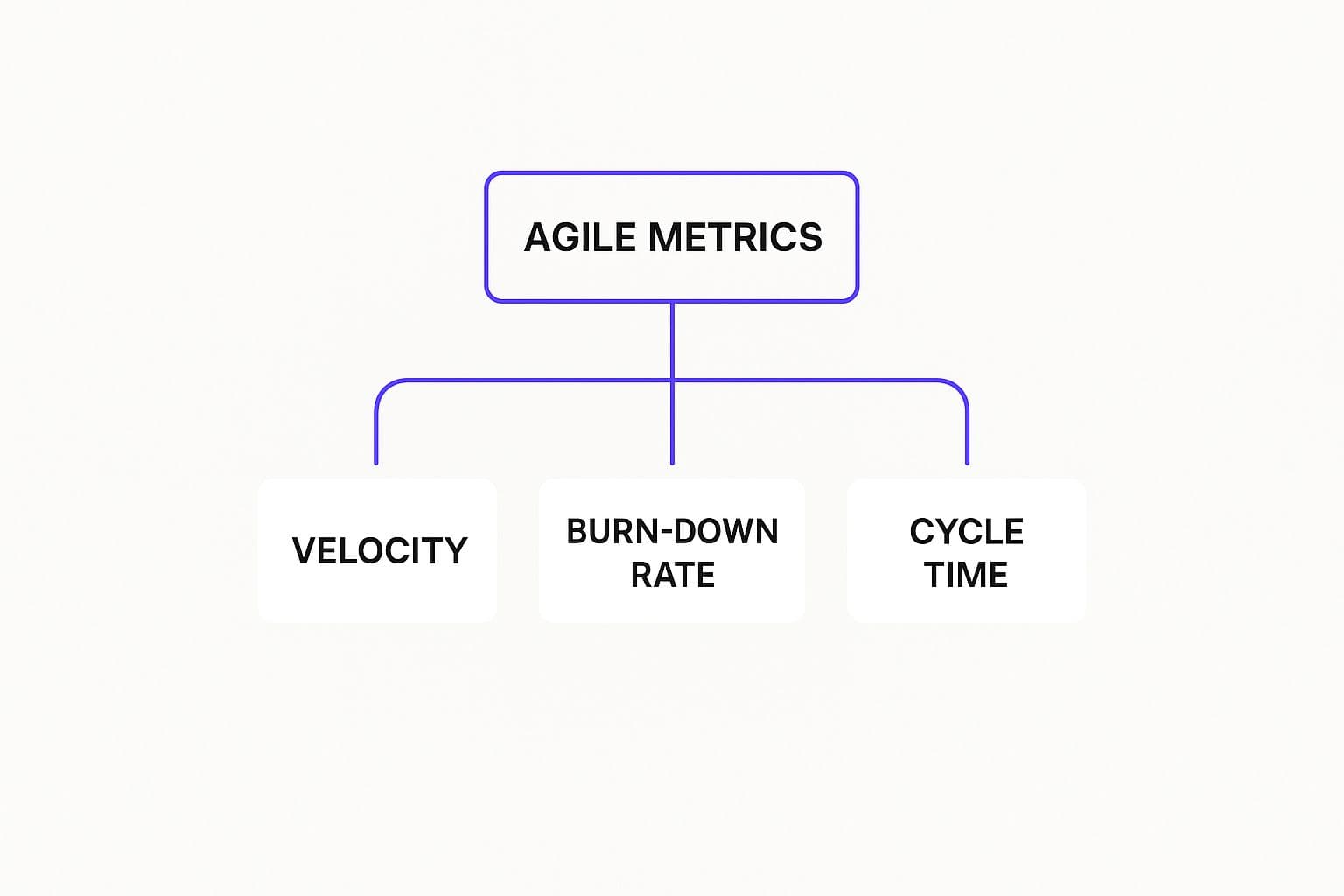
By keeping a close eye on metrics like Velocity, Burn-down Rate, and Cycle Time, even huge agile initiatives can stay transparent and predictable.
Key Terms in Scaled Agile Frameworks
Getting comfortable in a scaled environment means getting to know a few more advanced concepts. These terms are the building blocks for popular frameworks like the Scaled Agile Framework (SAFe), Large-Scale Scrum (LeSS), and Nexus.
- Agile Release Train (ART): Think of an ART as a "team of teams." It’s a long-term, self-organizing group of agile teams that plan, commit, and execute their work together. The whole point is to deliver a steady stream of value to the business. An ART typically involves anywhere from 50 to 125 people.
- Program Increment (PI) Planning: This is the keystone event in SAFe. It’s a massive, often two-day, planning session where every single team on the ART gets together. They align on a shared mission, hash out dependencies, and create a plan. The main output is a set of PI Objectives, which is just a clear summary of what each team plans to deliver in the next Program Increment (usually 8-12 weeks).
- Scrum of Scrums: This is a classic coordination technique. Essentially, it's a meeting where a representative from each team (often the Scrum Master) gathers to discuss progress, flag cross-team dependencies, and tackle bigger organizational roadblocks. It’s the mechanism that keeps teams from working in silos and helps solve problems that are too big for any single team to handle alone.
Frameworks like SAFe, LeSS, and Nexus all tackle this challenge a bit differently. SAFe is quite prescriptive, with clearly defined roles and events, which is why it’s a hit with large, more traditional companies. LeSS, on the other hand, tries to scale Scrum with as few extra rules as possible to maintain its original simplicity. Then there's Nexus, created by one of Scrum's co-founders, which offers a lightweight structure to coordinate up to nine Scrum teams working on the same product.
Measuring Success with Agile Metrics
While agile principles shape the mindset and its ceremonies provide the rhythm, you can't improve what you don't measure. That’s where metrics come in. They give teams the hard data they need to look past gut feelings and get an objective view of their workflow, predictability, and overall efficiency. Getting a handle on these key agile development terms is what separates teams just doing agile from those who are truly being agile.
Think of metrics not as a way to judge people, but as a lens to understand the system. They shed light on team capacity, expose hidden bottlenecks, and make forecasting future work far more reliable. When used properly, they become the foundation for smart, data-informed decisions and build a genuine culture of continuous improvement.
Core Agile Performance Indicators
To get a clear picture of performance, teams usually lean on a few essential metrics. Each one tells a different piece of the story, from how much work a team can realistically tackle to how fast they can get it into users' hands. Knowing these indicators is the first step to fine-tuning your development process.
- Velocity: This is a simple measure of the average amount of work a team knocks out in a single Sprint, usually tracked in story points. It's not a target to hit, but a historical average used for planning. For instance, if a team completes 25, 28, and 22 story points over its last three Sprints, its average velocity is 25. That number is incredibly useful for making more realistic commitments for the next Sprint.
- Cycle Time: This tracks the clock from the moment a developer starts working on a task ("in progress") until it's officially "done." It’s a fantastic indicator of how efficient your internal process is. Short and steady cycle times mean work is flowing smoothly. Long or unpredictable ones are a red flag, pointing to bottlenecks or other problems the team should dig into during their next retrospective.
From Start to Finish: Understanding Lead Time
Often mentioned in the same breath as cycle time is another critical metric: Lead Time. While cycle time zooms in on the active development phase, lead time gives you the full, wide-angle view of a task's entire journey.
Lead Time measures the total time from when a task is first requested (i.e., added to the Product Backlog) all the way until it’s delivered and in the hands of the customer. This provides a much more customer-centric perspective on your delivery pipeline. By comparing lead time and cycle time, you can often discover how long work sits idle before development even begins, revealing delays in prioritization or backlog refinement. For a more thorough look at performance measurement, check out our guide on choosing the right KPIs for software development.
Visualizing Progress with Burndown Charts
One of the most common and effective visual tools in agile is the Burndown Chart. It's a straightforward graph that plots the amount of work remaining in a Sprint against the time left to do it. The vertical axis shows the work left (in story points or hours), and the horizontal axis shows the days of the Sprint.
The idea is simple: you want to see a steady downward line that hits zero by the end of the Sprint. If that line flattens out or starts trending upward, it’s an immediate warning sign. It forces the team to ask tough questions in their Daily Scrum: Is something blocking us? Did we bite off more than we can chew? This instant feedback loop allows teams to course-correct long before the Sprint Goal is at risk.
Comparing Key Agile Performance Metrics
To help you keep track, here's a quick breakdown of the most common agile metrics, what they're for, and how they help your team.
| Metric | What It Measures | Primary Team Benefit |
|---|---|---|
| Velocity | The average amount of work (in story points) completed per Sprint. | Improves forecasting and helps the team make more realistic commitments during Sprint Planning. |
| Cycle Time | The time it takes for a task to go from "in progress" to "done." | Highlights internal process inefficiencies and bottlenecks, helping to smooth out the workflow. |
| Lead Time | The total time from a request being made to its final delivery. | Provides a customer-centric view of the entire delivery process, from idea to reality. |
| Burndown Chart | The progress of work completed against the time remaining in a Sprint. | Offers a real-time visual indicator of progress toward the Sprint Goal, enabling quick adjustments. |
Ultimately, these metrics aren't just numbers on a dashboard. They are conversation starters that empower teams to take ownership of their process and continuously find better ways of working together.
Got Questions About Agile Terms? We've Got Answers.
Even with a solid glossary on hand, some agile terms can be tricky. Their meanings often have subtle but critical differences that only become apparent when you start putting them into practice. Let's clear up some of the most common points of confusion. Nailing these distinctions is key to making any agile framework actually work for you and avoiding those frustrating misunderstandings that can stall a project.
Think of this as your final check-in. We'll give you straight, simple answers to clarify the nuances between terms that people often mix up. By the end, you'll be able to use this vocabulary confidently in the real world.
What's the Real Difference Between Agile and Scrum?
This is probably the most common question out there. While Agile and Scrum are deeply connected, they are not the same thing. The easiest way to remember it is this: Agile is the philosophy, while Scrum is a framework for living out that philosophy.
Agile is a mindset for building products, famously laid out in the Agile Manifesto. It’s all about a set of core values and principles that champion things like working closely with customers, adapting to change, and delivering functional software on a regular basis. It answers the "why" and the "what" of your approach.
Scrum, on the other hand, is a specific recipe for putting those agile principles into action. It gives you a concrete set of roles (Product Owner, Scrum Master), events (Sprints, Daily Scrums), and tools (Product Backlog, Sprint Backlog). It’s one of the most popular ways to "do" Agile—it provides the "how."
Aren't User Stories Just a Fancy Name for Requirements?
Not quite. While they both describe what needs to be built, their approach and purpose are fundamentally different. A traditional requirement is often a very detailed, formal command about what a system must do, usually locked down in a massive document before any work begins.
A User Story, however, is a simple, informal explanation of a feature told from the user's point of view. It's deliberately lightweight and follows a familiar format: "As a [type of user], I want [to do something] so that [I can achieve a goal]."
Here are the key differences that matter:
- Who it's for: User Stories are all about the user, focusing on the value a feature delivers to a real person.
- When it's detailed: A User Story starts as a placeholder for a conversation. The nitty-gritty details are filled in collaboratively, right before the team is ready to start working on it.
- Why it exists: Its main job is to kickstart a conversation and make sure the team understands the why behind the feature. This collaborative spirit helps ensure they build the right thing, not just build a thing according to a rigid spec.
Can a Team Really Use Kanban and Scrum Together?
Yes, absolutely, and many of the most effective teams do. This hybrid approach is often called "Scrumban," and it blends the structure of Scrum with the visual workflow and flexibility of Kanban. It really can be the best of both worlds.
Here’s what that might look like in practice:
- A team could stick with Scrum's defined roles (like a Product Owner) and its regular events (Sprints, Reviews, and Retrospectives) to keep a steady rhythm and a tight feedback loop.
- At the same time, they'd use a Kanban board to visualize their work within that Sprint, paying close attention to limiting their Work in Progress (WIP) to spot bottlenecks and improve how smoothly work gets done.
This mix lets a team enjoy the predictability of Scrum's cadence while getting the continuous improvement benefits of Kanban's focus on flow. It's a fantastic way to tailor agile principles to what your team actually needs.
What's the Difference Between Velocity and Cycle Time?
These are two vital agile metrics, but they measure completely different things. Confusing them can lead to some bad decisions.
Velocity measures a team's capacity. It’s the average amount of work, usually counted in story points, that a team can get through in one Sprint. Its main purpose is for forecasting. Knowing their historical velocity helps a team make a realistic plan for the next Sprint. It answers the question, "How much can we get done in a given time?"
Cycle Time, on the other hand, measures efficiency for a single piece of work. It tracks how long it takes for a task to go from "in progress" to "done." Teams use Cycle Time to find and fix slowdowns in their process. It answers the question, "How fast can we get one thing done?"
Ready to turn your idea into a market-ready product with agile speed? Iglu Digital specializes in building MVPs with the scope and the price agreed before we start, helping you validate your concept and launch faster. Discover our process.